Windows OS Hub
  • Windows
    • Windows 11
    • Windows 10
    • Windows Server 2025
    • Windows Server 2022
    • Windows Server 2019
    • Windows Server 2016
  • Microsoft
    • Active Directory (AD DS)
    • Group Policies (GPOs)
    • Exchange Server
    • Azure and Microsoft 365
    • Microsoft Office
  • Virtualization
    • VMware
    • Hyper-V
    • Proxmox
  • PowerShell
  • Linux
  • Home
  • About

Windows OS Hub

  • Windows
    • Windows 11
    • Windows 10
    • Windows Server 2025
    • Windows Server 2022
    • Windows Server 2019
    • Windows Server 2016
  • Microsoft
    • Active Directory (AD DS)
    • Group Policies (GPOs)
    • Exchange Server
    • Azure and Microsoft 365
    • Microsoft Office
  • Virtualization
    • VMware
    • Hyper-V
    • Proxmox
  • PowerShell
  • Linux

Windows Server 2019: Installation and Configuration Tutorials

What Others Are Reading in Windows Server 2019

How to Repair EFI/GPT Bootloader on Windows 10...

March 16, 2024

How to Run Program without Admin Privileges and...

June 8, 2023

Refresh AD Groups Membership without Reboot/Logoff

March 15, 2024

Fix: Remote Desktop Licensing Mode is not Configured

August 24, 2023

How to Repair Windows Boot Manager, BCD and...

March 11, 2024

PowerShell: Get Folder Size on Windows

April 2, 2024

Managing Windows Firewall Rules with PowerShell

March 11, 2024

How to Convert (Upgrade) Windows Server Evaluation to...

March 15, 2024

Protecting Remote Desktop (RDP) Host from Brute Force...

February 5, 2024

How to Find the Source of Account Lockouts...

March 12, 2024

Fix: BSOD Error 0x0000007B (INACCESSABLE_BOOT_DEVICE) on Windows

March 17, 2024

How to Enable and Configure Hyper-V Remote Management

June 8, 2023
Remote Desktop cannot verify the identity of the remote computer because there is a time or date difference between your computer and the remote computer
Windows 10Windows Server 2019

Remote Desktop Cannot Verify the Identity of Remote Computer Because Time/Date Difference

July 15, 2019

I came across the following error when trying to connect via RDP to a remote server in the AD domain. After specifying the correct domain credentials for the RDP user,…

4 Facebook Twitter Google + Pinterest
win 7 - An authentication error has occurred. The function requested is not supported
Windows 10Windows Server 2019

Fix RDP Authentication Error: The Function Requested Is Not Supported

July 12, 2019

The following error may occur when you use the built-in RDP client (mstsc.exe) to connect to the desktop of a remote computer: Remote Desktop Connection An authentication error has occurred.…

8 Facebook Twitter Google + Pinterest
Assigning multiple IP addresses to single NIC in Windows 10
PowerShellWindows 10Windows Server 2019

Adding Multiple IP Addresses (Aliases) to a Single Network Adapter

April 12, 2019

Windows allows to assign multiple IP addresses (aliases) to a single physical network adapter. This can be useful when you want to run multiple websites with unique IP addresses on…

3 Facebook Twitter Google + Pinterest
connect ftp site from windows file explorer
PowerShellWindows 10Windows 11Windows Server 2019Windows Server 2022

FTP Server Quick Setup on Windows 10/11 and Windows Server

April 10, 2019

In this step-by-step guide, we’ll look at how to install and configure an FTP server for easy file transfer on Windows Server. The built-in FTP server is available in all…

7 Facebook Twitter Google + Pinterest
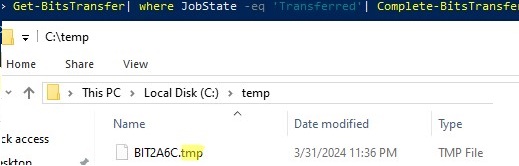
Complete-BitsTransfer
PowerShellWindows 10Windows 11Windows Server 2019

Downloading (Transferring) Large Files Using PowerShell and BITS

February 11, 2019

If you need to download (transfer) a large file to a remote computer without overloading the network channel, we recommend using the BITS protocol. BITS (Background Intelligent Transfer service) is…

5 Facebook Twitter Google + Pinterest
RealTimeIsUniversal TimeZoneInformation
Windows 10Windows Server 2019

Fix: Clock Reverts to Wrong Time After Computer (Server) Reboot

February 8, 2019

In this article, we’ll consider why the system clock displays incorrect time and date after a shutdown, restart or resuming from hibernation of a laptop/computer/server. Time is reset each time…

7 Facebook Twitter Google + Pinterest
vbs script for manage printers and drivers in windows 8
Windows 10Windows Server 2019

Managing Printers from the Command Prompt in Windows

January 14, 2019

Today we’ll talk about opportunities for managing printers and their drivers from the command prompt in Windows 10/ 8.1 and Windows Server 2012 R2/ 2016. We will consider how to…

7 Facebook Twitter Google + Pinterest
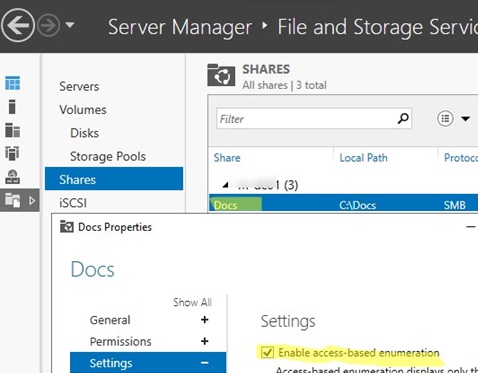
Server Manager: enable access based enumeration for a shared folder
PowerShellWindows 10Windows Server 2019

Enable Access-based Enumeration (ABE) on Shared Folders (SMB)

January 8, 2019

Access-based Enumeration (ABE) is a shared folder option in Windows that allows to hide files and folders that users don’t have permission to access. ABE is used to hide the…

4 Facebook Twitter Google + Pinterest
Event 4732: A member was added to a security-enabled group
Active DirectoryPowerShellWindows Server 2019Windows Server 2022

How To Monitor Group Membership Changes in Active Directory

December 20, 2018

It can be difficult to track exactly who made certain changes when the Active Directory domain infrastructure is managed by multiple administrators (added or removed a user from a security…

4 Facebook Twitter Google + Pinterest
PowerShellWindows 10Windows Server 2019

How to Get My Public IP Address with PowerShell

December 6, 2018

You can use a simple PowerShell command to find out the current public IP address that your Windows computer uses to access the Internet. There are a large number of…

13 Facebook Twitter Google + Pinterest
  • 1
  • …
  • 24
  • 25
  • 26
  • 27
  • 28
join us telegram channel https://t.me/woshub
Join WindowsHub Telegram channel to get the latest updates!

Recent Posts

  • Invalid Signature Detected: Check Secure Boot Policy [Fix]

    August 5, 2026
  • Windows Installer Service Could Not Be Accessed? How to Fix It

    July 28, 2026
  • Why Windows Reports No Internet Access: How Connectivity Detection Works

    July 26, 2026
  • Inactive TS Ports in Windows: Causes and Fixes

    July 20, 2026
  • Add Wireless Wi-Fi Profiles on Windows Devices via Export/Import or GPO

    July 13, 2026
  • CrowdSec on Windows: From Installation to Threat Blocking

    July 3, 2026
  • Manage Microsoft Store Apps with Store CLI in Windows 11 from Terminal

    July 2, 2026
  • Windows Sandbox on Windows 11: Enable, Configure, and Use

    June 10, 2026
  • How to Monitor Windows Machines with Zabbix

    May 26, 2026
  • Fixing Duplicate Security Identifier (SID) Issues in Windows

    May 25, 2026

Follow us

  • Facebook
  • Twitter
  • Youtube
  • Telegram
Popular Posts
  • Booting Windows from GPT Disk on BIOS (non-UEFI) Computer
  • Removable USB Flash Drive as Local HDD in Windows
  • How to increase KMS current count (count is insufficient)
  • How to Disable UAC for a Specific Program
  • How to Connect L2TP/IPSec VPN Server From Windows
  • Managing Printers and Drivers on Windows with PowerShell
  • How to Install Only Specific Apps in Office 2021/2019 or Office 365
Footer Logo

@2014 - 2026 - Windows OS Hub. All about operating systems for sysadmins


Back To Top